Famlet home

Every recipe, from anywhere.In one family recipe book.

Save recipes from TikTok, Instagram, Facebook, recipe sites, a cookbook page or Grandma’s handwriting. See the calories and macros, scale to your table, cook step by step, and send the ingredients to the shopping list.

Start freeSee where recipes come from

Save recipes from

  • TikTok
  • Instagram
  • Facebook
  • Recipe sites
  • Cookbook pages
  • Handwritten cards
  • Notes

Save it from anywhere

Paste a link from TikTok, Instagram, Facebook or any recipe site, or snap a page of a cookbook or a handwritten card. Famlet reads the ingredients and the method into a draft you check before it’s saved.

  • TikTok, Instagram, Facebook and recipe sites.
  • Photos of cookbook pages and handwritten cards.
  • Notes and lists you already typed somewhere.
  • Every import opens as a draft you check first.
Your family’s recipe book

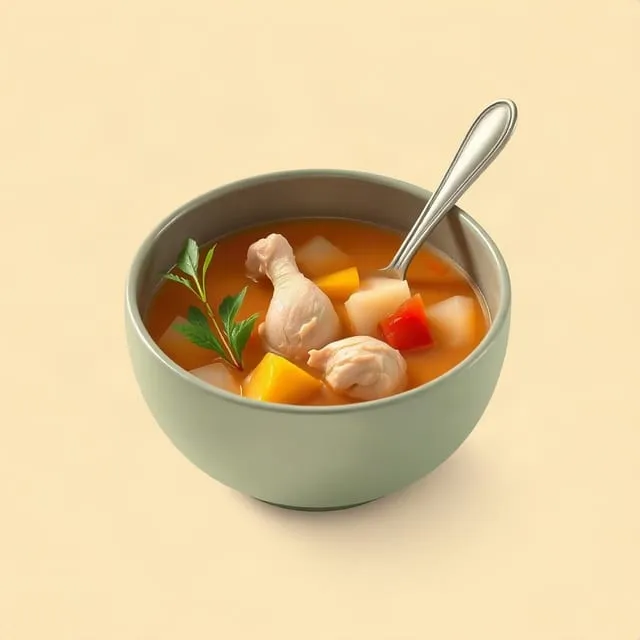
One recipe book for the whole family, on every phone and computer. Dishes you plan wait in Drafts until someone writes them up, and every recipe keeps its picture, its notes and the family’s tweaks.

  • One book for the whole family.
  • Planned dishes wait in Drafts for a write-up.
  • A picture for every recipe.

Something new? Browse the catalogue

Browse and search Famlet’s recipe catalogue for something new. Add a recipe to your book, or put it straight on the week: either way you get your own copy to change, credited to where it came from.

  • Search the whole catalogue.
  • Add a recipe to your book in a tap.
  • Your own copy, credited to its source.

Know what’s in it

Famlet works out calories, protein, fat and carbs per serving from a recipe’s own ingredients. When an ingredient can’t be counted, the recipe says so instead of guessing.

  • Calories and macros per serving.
  • Each ingredient matched to a real food.
  • It tells you what it couldn’t count.

Cook for four, or for ten

Change the servings and every amount follows. If you always cook for more, set it once and the recipe opens that way every time.

  • Every amount follows the servings.
  • Set the servings a recipe opens at.
  • Lines like “salt, to taste” stay as written.

One step at a time, with timers

Start cooking and the recipe goes one step at a time, in big, clear type, with the screen kept awake. Start a timer on any step. Several can run at once, and each one shows which step it belongs to.

  • Big, clear steps, one at a time.
  • A timer on any step, several at once.
  • The ingredients and notes a tap away.

From the recipe to the week and the list

Put a recipe on the meal plan right from its page, and send what it needs to the shopping list. Amounts that can be added up join what’s already there, and each item says which meal it’s for.

  • Add to Meal Plan, right from the recipe.
  • The ingredients go on the shopping list.
  • Each item says which meal it’s for.

Hand it Grandma’s card

Send the assistant a photo of a handwritten recipe and it writes it up for you to check. Ask it to put a recipe on the plan or its ingredients on the list. It works in Claude and ChatGPT too.

  • “Write up this recipe.”
  • “Put the lasagna on Sunday.”
  • “Add what the curry needs to the list.”
Meet the assistant

The small things cooks notice

Made for the recipes you actually cook.

Questions about recipes

Where can I save recipes from?

TikTok, Instagram, Facebook and recipe websites, photos of cookbook pages and handwritten cards, and notes you’ve already typed. Each import opens as a draft for you to check.

Does it count calories?

Yes. Famlet works out calories, protein, fat and carbs per serving from a recipe’s ingredients, and says when an ingredient couldn’t be counted.

Can I change the servings?

Yes, when the recipe has a serving size. Every measurable amount scales, and you can set how many servings it opens at.

Does cook mode have timers?

Yes. You can start a timer on any step, several can run at once, and the screen stays awake while you cook.

What’s in the Famlet catalogue?

Recipes you can browse and search. Add one to your recipe book or plan it, and you get your own copy to change, credited to where it came from.

Do I have to write a recipe for every dish?

No. A dish on the meal plan can be just a name. It waits in Drafts until someone writes it up.

Can the ingredients go on the shopping list?

Yes. Amounts that can be added up join what’s already on the list, and each item says which meal it’s for.

Start your family recipe book

Save your first recipe in a minute, from a link, a photo or a note.

Start free

Choose which cookies famlet.co may use on this device. Privacy policy