Famlet home

The AI family hubfor every screen in your home

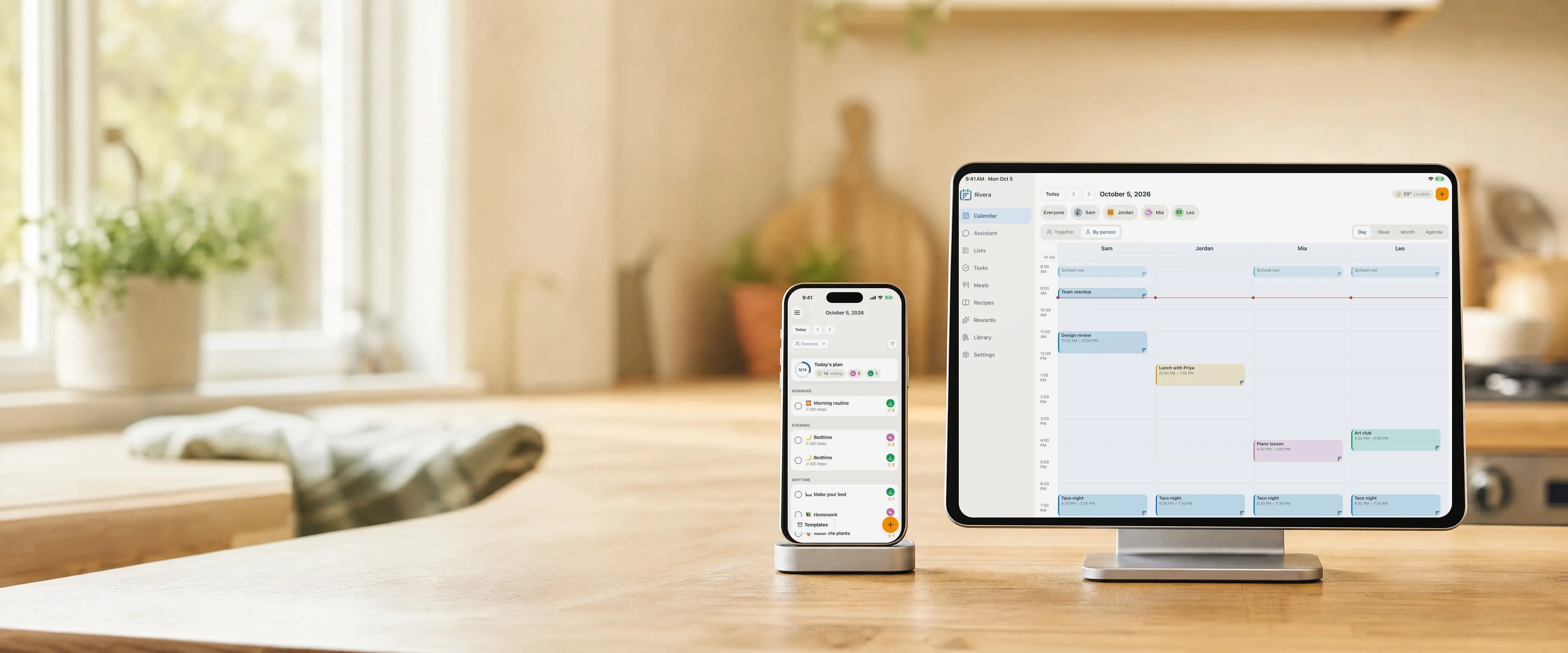
Calendars, routines, chores, meals and an assistant that plans with you, on the phone, tablet and computer you already own.

Start free

Up and running in minutes

  1. Connect your calendars

    Google, iCloud, Outlook, or any calendar link from school or sports.

  2. Put it on a screen

    Open Famlet on a tablet or in a browser and pair it with a code.

  3. Ask the assistant

    Talk or type, and it plans, schedules and updates the whole family.

Everyone's week, in one place

Every calendar, every meal and every recipe, on a screen the whole family can see.

Two-way calendar sync

Bring every calendar the family already uses into one view. Change an event in Famlet or in the original app, and it changes in both.

  • Two-way with Google, iCloud and Outlook
  • Subscribe to any calendar link: school, sports, holidays
  • Each person in their own colour
See two-way calendar sync

Family wall display

Turn a tablet or any browser into an always-on family calendar. No frame to buy: when the screen gets old, the calendar moves to the next one.

  • Pair any tablet or browser with a code
  • Today and week views
  • Big type that reads from across the room
See the wall on a tablet or TV

Meal planner

Plan the week's meals together and stop deciding dinner at 6 pm.

  • Breakfast, lunch and dinner for the week
  • Send the ingredients to the shopping list
  • Copy last week's plan in one tap
See the meal planner

Recipes

Keep the family's recipes next to the meal plan, and cook them without losing your place.

  • Scale to the servings you need
  • Nutrition per serving
  • Cook mode: one step at a time, with timers
See the recipe book

Routines and chores kids can follow

Made for kids, and for anyone who needs time made visible.

Tasks and routines

Morning and bedtime routines, one step at a time, with a timer kids can read at a glance.

  • Step-by-step routines
  • Visual timers
  • Assign to anyone in the family
See tasks and routines

Chores and rewards

Chores earn stars, and stars add up toward rewards you choose together.

  • Stars for every finished chore
  • Rewards you set, with approval if you want it
  • Up for grabs: chores anyone can claim
See chores and rewards

Grocery and to-do lists

Shared lists for the shop and the house, ticked off from any phone or right on the wall.

  • Shared with the whole family
  • Ticks show up everywhere in seconds
  • Tick items off on the wall
See grocery and to-do lists

An assistant that runs the day with you

Talk or type about anything in your family’s day.

AI assistant

Ask in plain words: "What's on Thursday?", "Plan dinners for next week", "Add Mia's dentist on Friday at 3". It plans, schedules and updates every part of Famlet.

  • Talk or type
  • Reads photos and PDFs, like a school letter
  • Checks travel times between places
Meet the assistant

In Claude and ChatGPT too

Connect Famlet to the AI app you already use, and manage the family calendar, lists and meals from there.

  • Works with Claude and ChatGPT
  • The same family data, nothing to copy
  • Connect in a few taps
Connect your AI app

On every screen you already own

One family, every device, always in step.

On every device

iPhone, Android, iPad, the web, and the tablet on your wall. A change on one shows up on all of them in seconds.

  • Phone apps for iPhone and Android
  • Full web app
  • Any tablet or browser as the wall
See every device

Photo frame

Between busy moments, the wall fills with your family's photos.

  • Upload from your phone
  • Shows between events
  • Back to the calendar with a touch
See the photo frame

Never a blank screen

If the Wi-Fi drops, the wall keeps showing your day and tells you when it went offline.

  • Keeps the last day it saw
  • Check-offs wait and sync later
  • An honest offline note
See how the wall stays on

Why not a dedicated calendar frame?

Famlet does the same job on screens you already have.

FamletDedicated calendar frame
Hardware to buyNoneA frame for each room
ScreenAny phone, tablet or browserThe frame you bought
AI assistantBuilt in, also in Claude and ChatGPTVaries
When the hardware agesMove to a new screen in minutesBuy a new frame
Your dataExport any time, on every planVaries

Questions about features

Do I need to buy a device?

No. Famlet runs on the iPhone, Android phone, iPad, Android or Fire tablet, or browser you already have.

Which calendars work with Famlet?

Google, iCloud and Outlook sync both ways. Any other calendar with a link, like a school or sports calendar, can be added too.

Do kids need their own accounts?

No. Kids are profiles in your family: they get routines, chores and stars without an email or an account.

Does the wall work when the Wi-Fi drops?

Yes. It keeps showing the day it last saw, notes when it went offline, and syncs check-offs when it reconnects.

Put your family’s day on the wall

Setting up takes a few minutes: create your family, then sign in on a tablet, or open Famlet in a TV’s browser and type in the code it shows.

Start free

Available on iOS, iPadOS, Android & Web

Choose which cookies famlet.co may use on this device. Privacy policy